
Your customers scan.
You get paid.
Turn a simple QR code into your checkout. Customers pay on their phone, and you manage every sale from one place.
No terminal. No customer app. No customer account.
Customers just need their phone and an internet connection.
From signup to first sale.
Farmgate produce, market finds, community donations or a tip for a great performance.
-
Create your account
Add your business and bank details, then complete verification.
-
Make checkout your own
Add your branding and choose how customers pay.
-
Display your QR code
Print your flyer or use the QR code on your own signs.
-
Customers scan and pay
They enter an amount or choose products, then pay by card.
-
Receive your payouts
Eligible payments reach your bank on your plan’s payout schedule.
Your customer enters the amount.
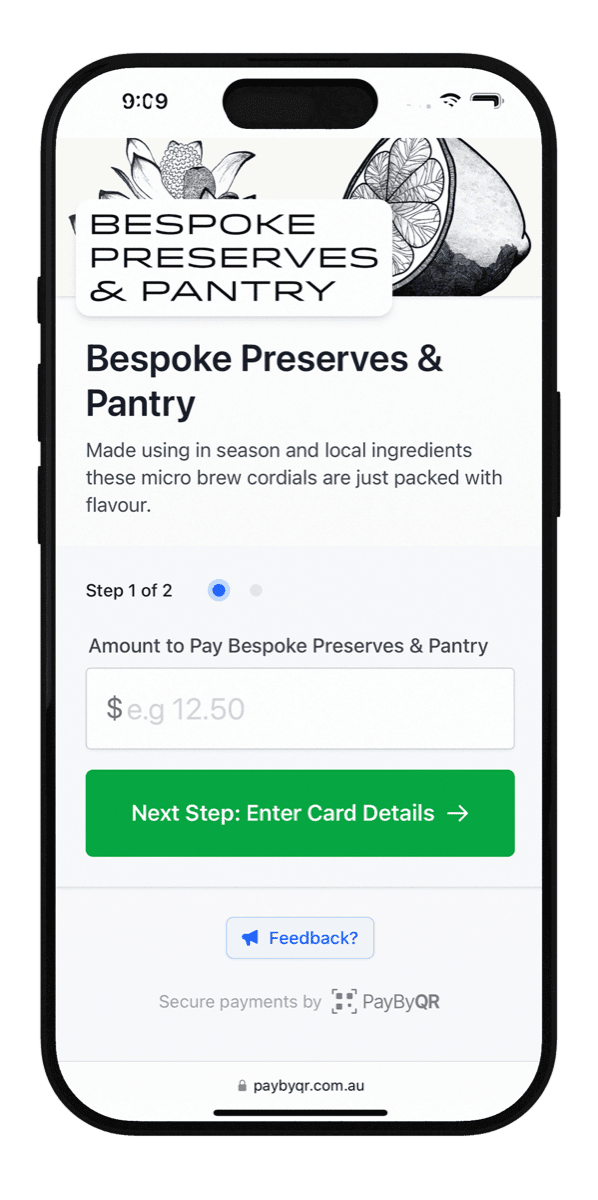
Start taking payments on Hobby without setting up a product catalogue. Your customer scans your QR code, enters the amount to pay and pays by card on their phone.
- A customer adds up their market purchases and pays the total.
- A supporter chooses how much to donate to your community group.
- Someone enjoys your performance and leaves a tip.
No monthly fee. Transaction fees apply.
Hobby accepts up to $50 per payment. Customers need an internet connection.
See fees and payment limits
Let customers know they can pay.
Put your QR flyer where customers can see it: at your stall, on the counter or beside a collection point. It tells them they can pay by card with a quick scan.
- Your printable flyer is included on Hobby.
- Make the heading, introduction and payment prompt your own.
- Preview your flyer, download the PDF and print it ready to display.
Fresh from
our farm.
Choose your favourites.
Add up your total.
Scan to pay by card

Thank you for shopping local
Make it look like your business.
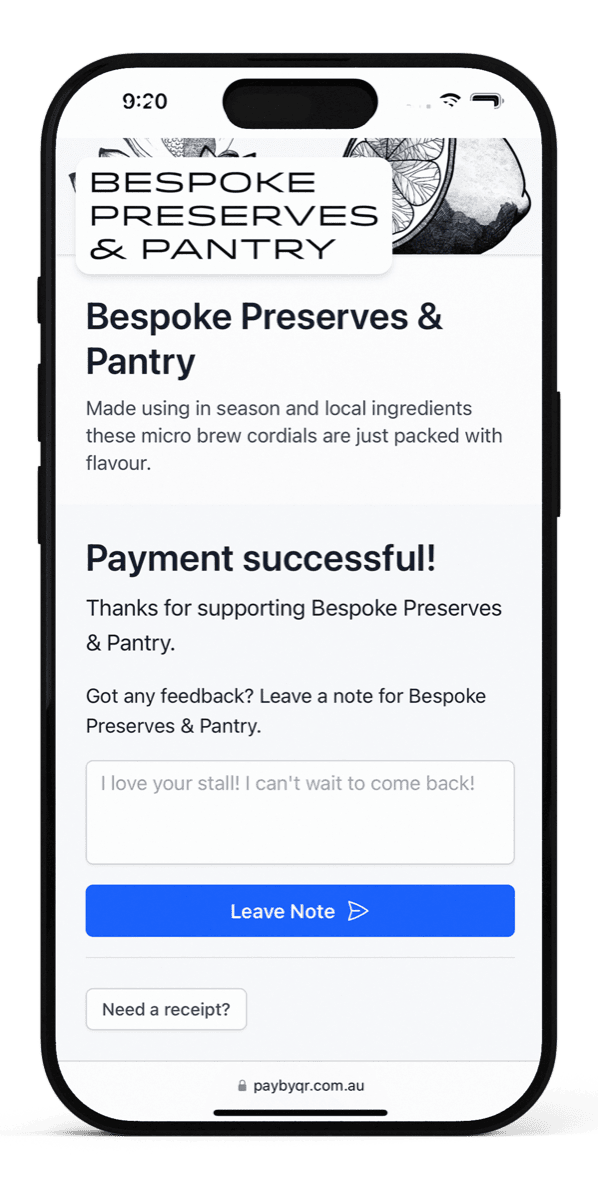
Give customers a familiar welcome when they scan. Your checkout branding and thank-you message are included on Hobby.
- Add your logo and a cover image so customers recognise you.
- Introduce your business, group or cause with a short description.
- Write a custom thank-you message for the confirmation after payment.
Professional and Commercial also let you add social, website or email links to your checkout.
Thanks for shopping local!
See you at the market
next Saturday.
Everything you sell.
Ready to choose.
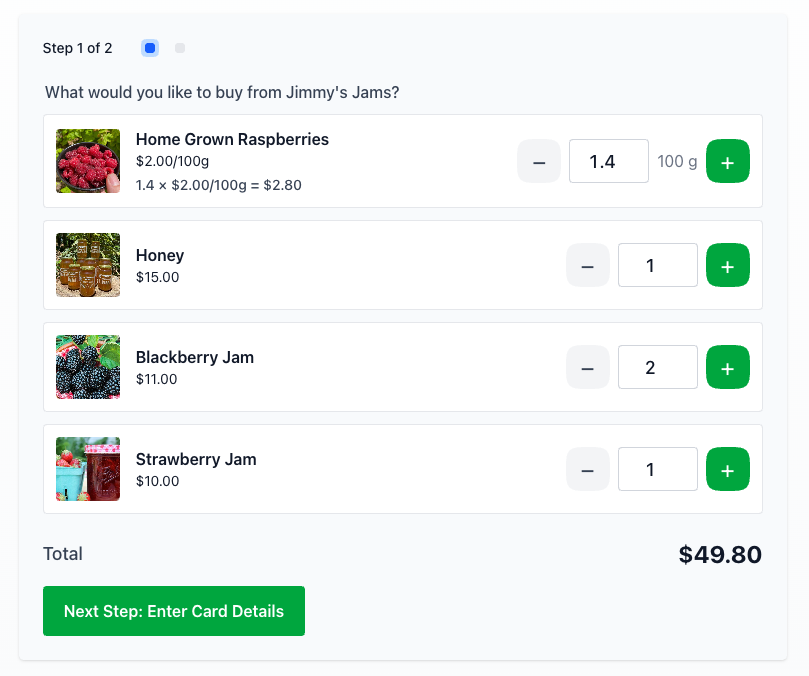
Want customers to choose from a menu? On Professional and Commercial, give them a catalogue with photos, descriptions and prices. They choose their quantities, and pay the total in one go.
- Sell by item, weight or volume, including part quantities such as 1.5 kg.
- Arrange products into categories and hide anything unavailable.
- See item quantities, unit prices and line totals in each payment.
A place for every product.
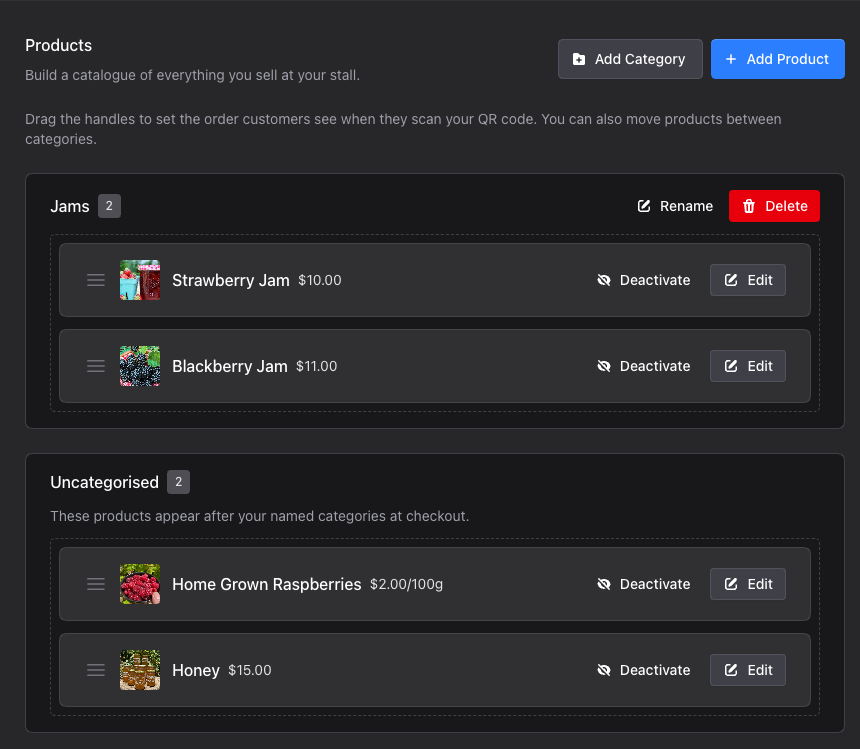
Help customers find what they came for with a catalogue organised around what you sell.
- Group fresh produce, pantry staples or flowers into categories.
- Choose the order your categories and products appear in.
- Move products between categories as your range changes.
Different places.
One clear picture.
Your farmgate during the week. The markets on Saturday. Bring every location together in one account with Commercial.
- Each location has its own QR code and printable flyer.
- Choose which products are sold at each location.
- Filter your dashboard and recent payments by location, or see everything together.
Farmgate stall
Fresh produce, eggs
Weekend market

Preserves, flowers
Less guesswork.
More of the full picture.
From your first sale to your busiest weekend, see what came in, what sold and what is on its way to your bank.
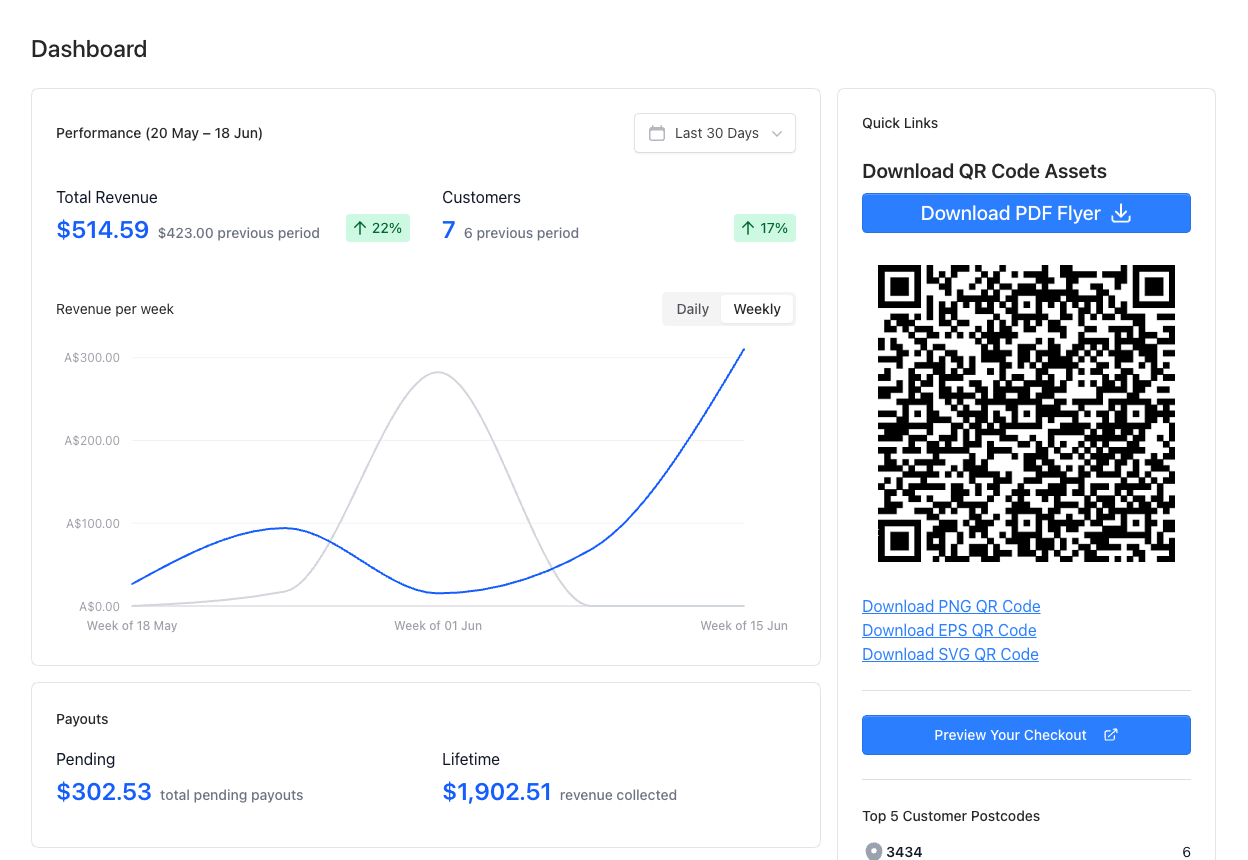
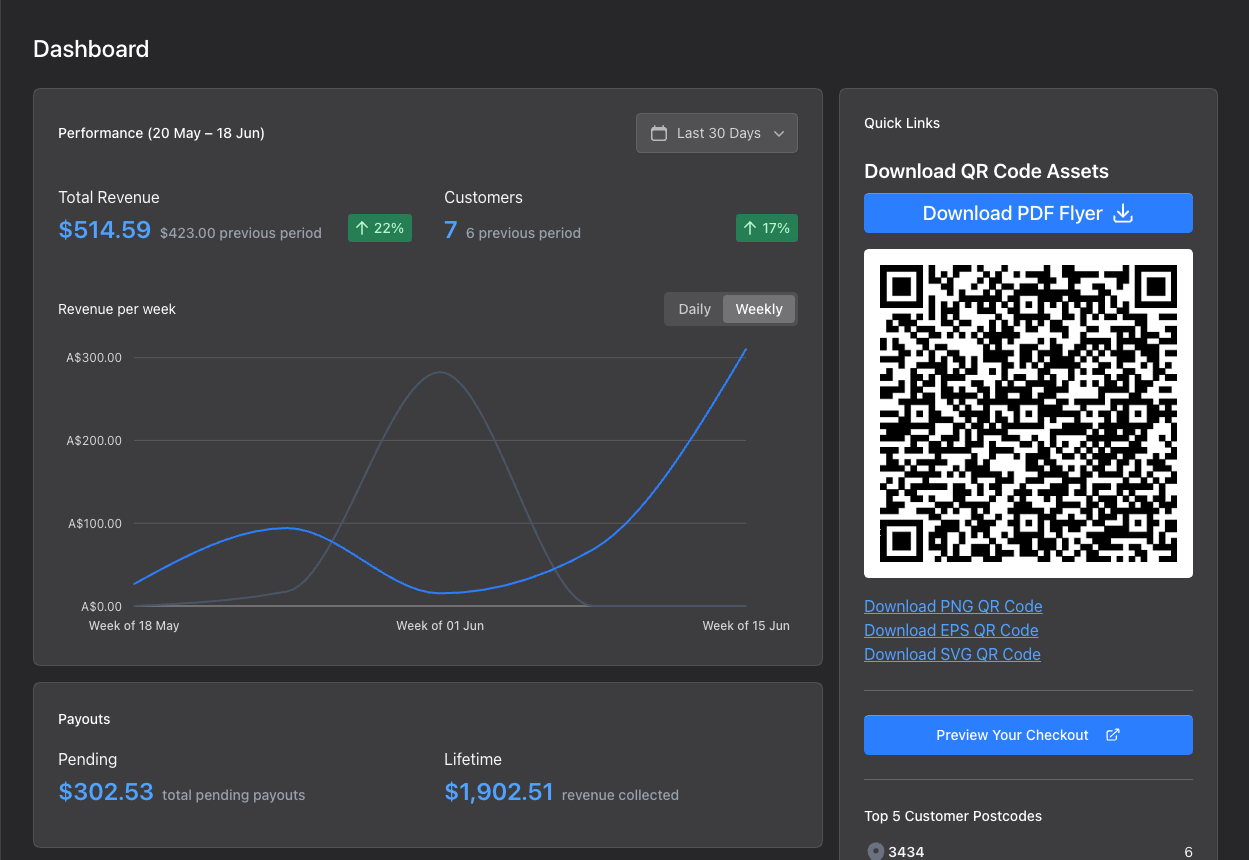
Know where you stand.
On every plan, review transactions, fees and payouts. Download an annual tax statement for your records.
Find your favourites.
With Professional and Commercial, explore sales trends, returning customers, top products and average basket value in Analytics.
Stay in the loop.
With Professional and Commercial, get real-time payment emails and daily, weekly or monthly summaries with revenue trends.
Your money,
on its way.
From your customer's payment to your nominated Australian bank account, here is how your money gets to you.
See fees, limits and plan details-
Your customer pays
The payment appears in your dashboard.
-
Payments become eligible
Every payment has a two-business-day eligibility hold.
-
Your scheduled payout
Eligible payments are paid to your bank on your plan's schedule.
Hobby
1st & 15th
Twice-monthly payouts, adjusted for non-business days.
Professional and Commercial
Choose your schedule.
Daily, weekly, fortnightly, monthly or twice-monthly payouts. The hold still applies to daily payouts.
Payout dates account for weekends and public holidays, so a sale does not mean an immediate bank deposit.
One scan.
See for yourself.
Open the demonstration checkout with your phone. Enter an amount, then use the test card to try a payment.
This is a demo. Use the test card, not your own card details.
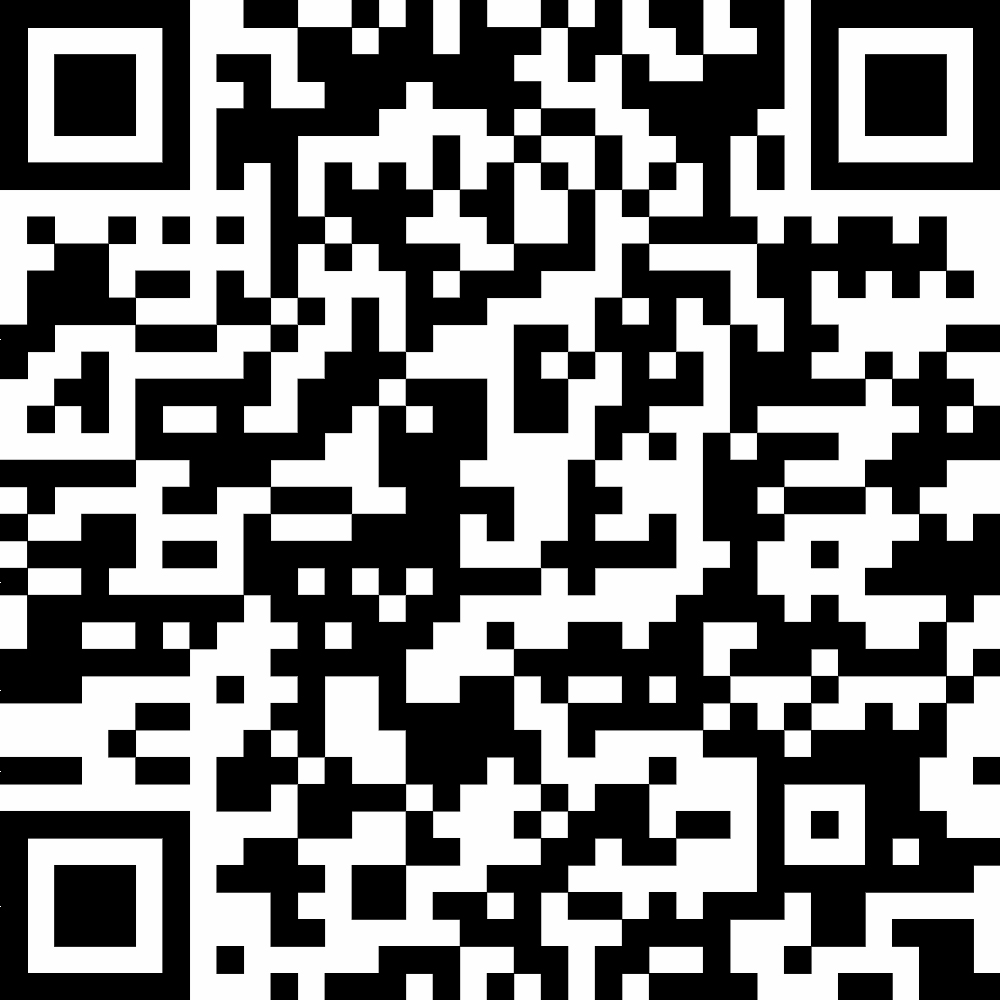
Scan. Pay. Done.
Your phone camera
is all you need.
- Test card number
- 4242 4242 4242 4242
- Expiry
- 12/34
- CVV
- 123
Put your business
on the other side of a scan.
Start with Hobby for no monthly fee. Transaction fees apply when you take a payment. Add products or more locations with a paid plan.
See what is new in Pay By QR