
What's New
Products catalogue in your checkout
Paid
You can now build a catalogue of everything you sell, with prices, descriptions and photos, and let your customers order from it when they scan your QR code.
Building your catalogue
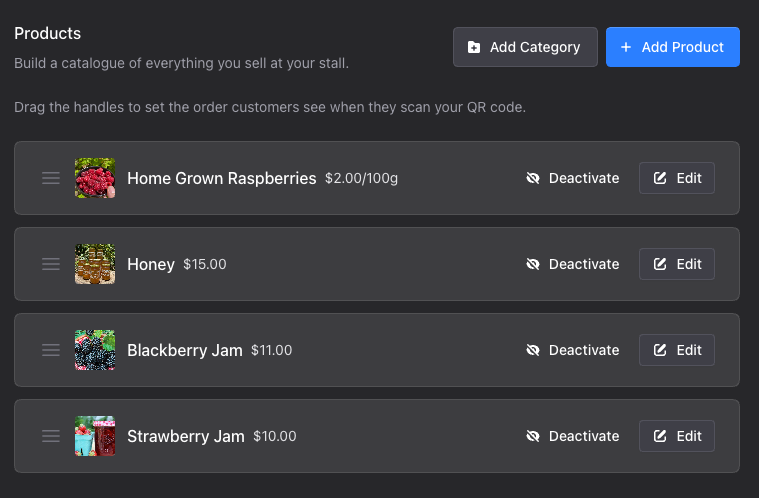
A new Products page in your dashboard is where you add and edit everything you sell. Give each product a name and a price, then add a description and a photo if you want one. Drag the handles to set the order your customers see when they scan.
Not everything is sold one at a time, so you choose how each product is priced: each, per kilogram, per 100 grams, per gram, per litre or per millilitre. Anything priced by weight or volume accepts part quantities, so a customer can buy 1.5 kg of tomatoes and the price is worked out for them.
When you sell out, turn the product off rather than deleting it. It disappears from your checkout straight away and is waiting for you the next time you have it. On the Commercial plan you can also tick which of your stalls sell each product, so your catalogue stays accurate everywhere you trade.
What your customers see
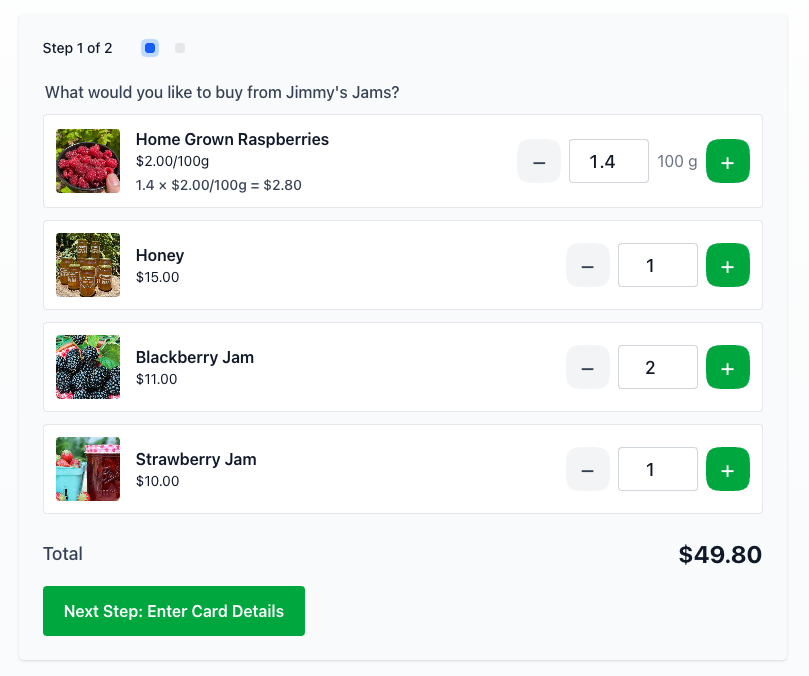
Instead of typing an amount, your customer sees your products with their photos and prices. They tap plus and minus to build a cart, watch the total add up, then pay for the lot in one go. Your thank you message and social links still appear once they have paid.
If you have no products switched on at a stall, that stall goes back to the customer entering an amount, exactly as before.
Seeing what sold
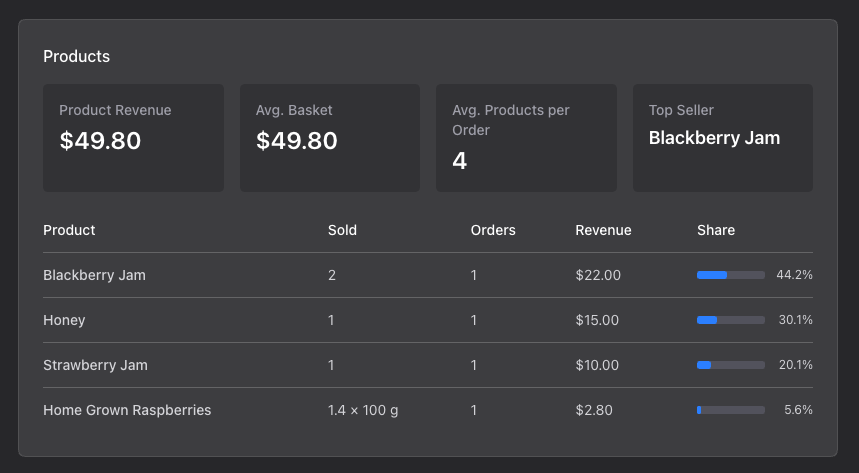
Analytics has a new Products card showing your product revenue, average basket, average products per order and your top seller for the period. Below it is a table of your fifteen best products, with how much of each you sold, how many orders they appeared in and their share of your product revenue.
Every payment on your Transactions page and your dashboard now has a View button. It opens the full detail of that sale - each item, the quantity, the unit price and the line total - along with the fee breakdown and what landed in your account.
Open Products from your dashboard to build your first catalogue.
Available on a paid plan
This feature is included with a paid Pay By QR plan. Upgrade to unlock it for your stall.
Upgrade your plan